
The Recommendations screen
The Idun Cockpit Recommendations screen states what to put in place, tool by tool, based on what the logs measure, and the use cases each recommendation unlocks. It is the screen that turns measurement into decisions. During the real AI usage audit, Idun Group’s consultants set them against your interviews and propose the trade-offs.
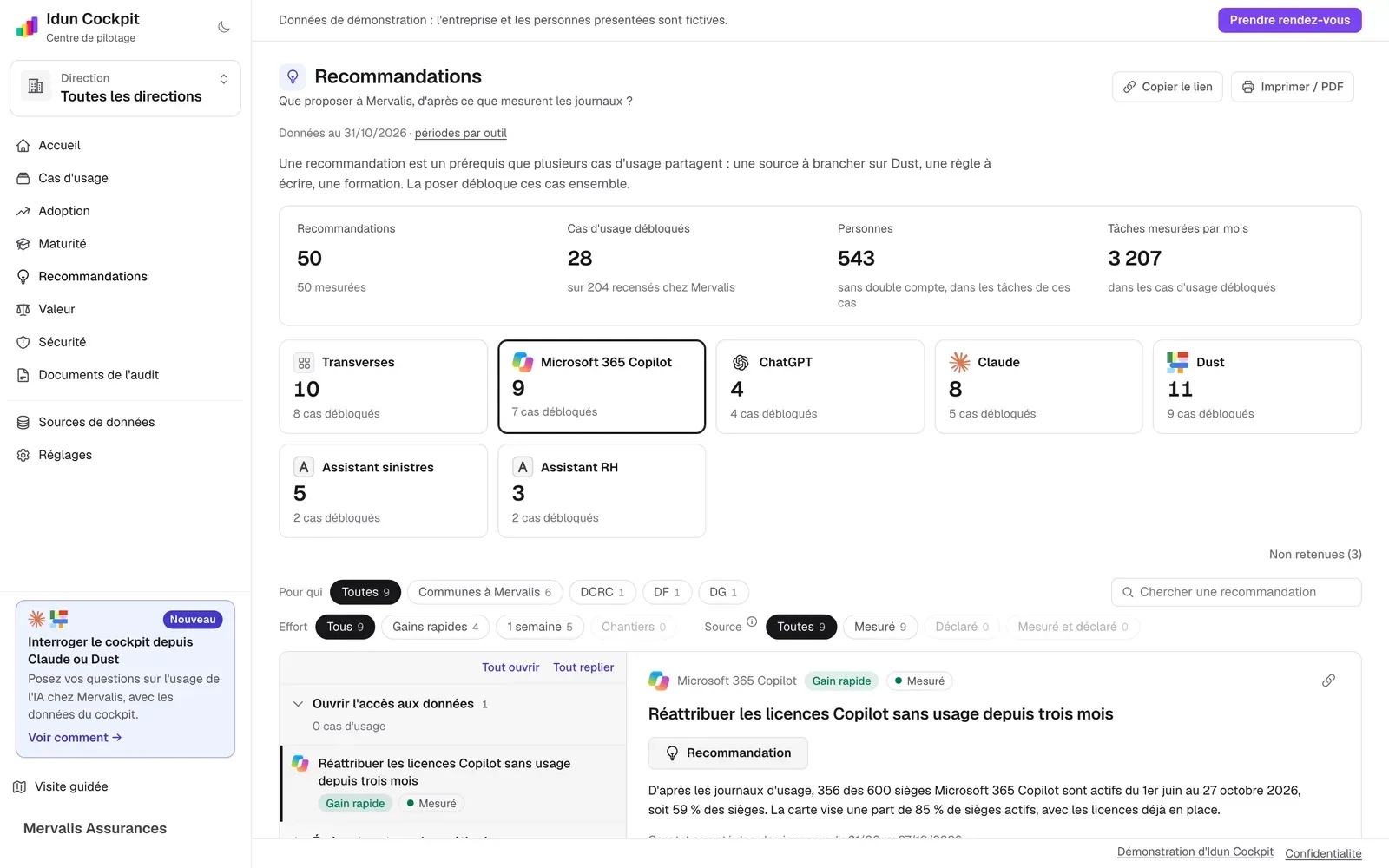
The screen as it appears in the public demo of Idun Cockpit, on Mervalis Assurances, a fictional company. Interface shown in French: the public demo exists in French only.
What the Recommendations screen shows
Section titled “What the Recommendations screen shows”- The recommendations. A recommendation is a prerequisite that several use cases share: a source to connect to an assistant, a rule to write, a training session. Lifting it unlocks those cases together.
- What they unlock. Overall: how many use cases are unlocked, how many people are concerned, how many measured tasks a month.
- The ranking by tool. Cross-cutting recommendations first, then those for each tool: Microsoft 365 Copilot, ChatGPT, Claude, Dust, your internal assistants.
- The detail of each. What to do, why, and the evidence behind it, for example licences unused for three months, to be reassigned.
How to read it
Section titled “How to read it”Filters sort the recommendations by audience, by department and by effort: quick wins, what fits in a week, larger workstreams. Another filter separates what is measured in the logs from what is declared in interviews, so that each recommendation states what it rests on. A recommendation may call for scaling a case, consolidating several, or cutting a tool that costs without serving.
The questions it answers
Section titled “The questions it answers”- What should be put in place first?
- Which action unlocks the most use cases?
- Which licences should be reassigned or cut?
- Which quick wins can start this week?
This screen feeds the Strategy deliverable. The teams’ mastery reads on the Maturity screen, and what each case gives back on the Value screen.
To see what the tool shows on your own tools, book a call.