
The Home screen
The Idun Cockpit Home screen shows where the company stands in its use of AI, in one minute. It brings together one figure from each screen and Idun Group’s short answer to your questions, with the link to the screen that gives the detail. It is the page you open before a leadership meeting. The Cockpit is delivered during the real AI usage audit.
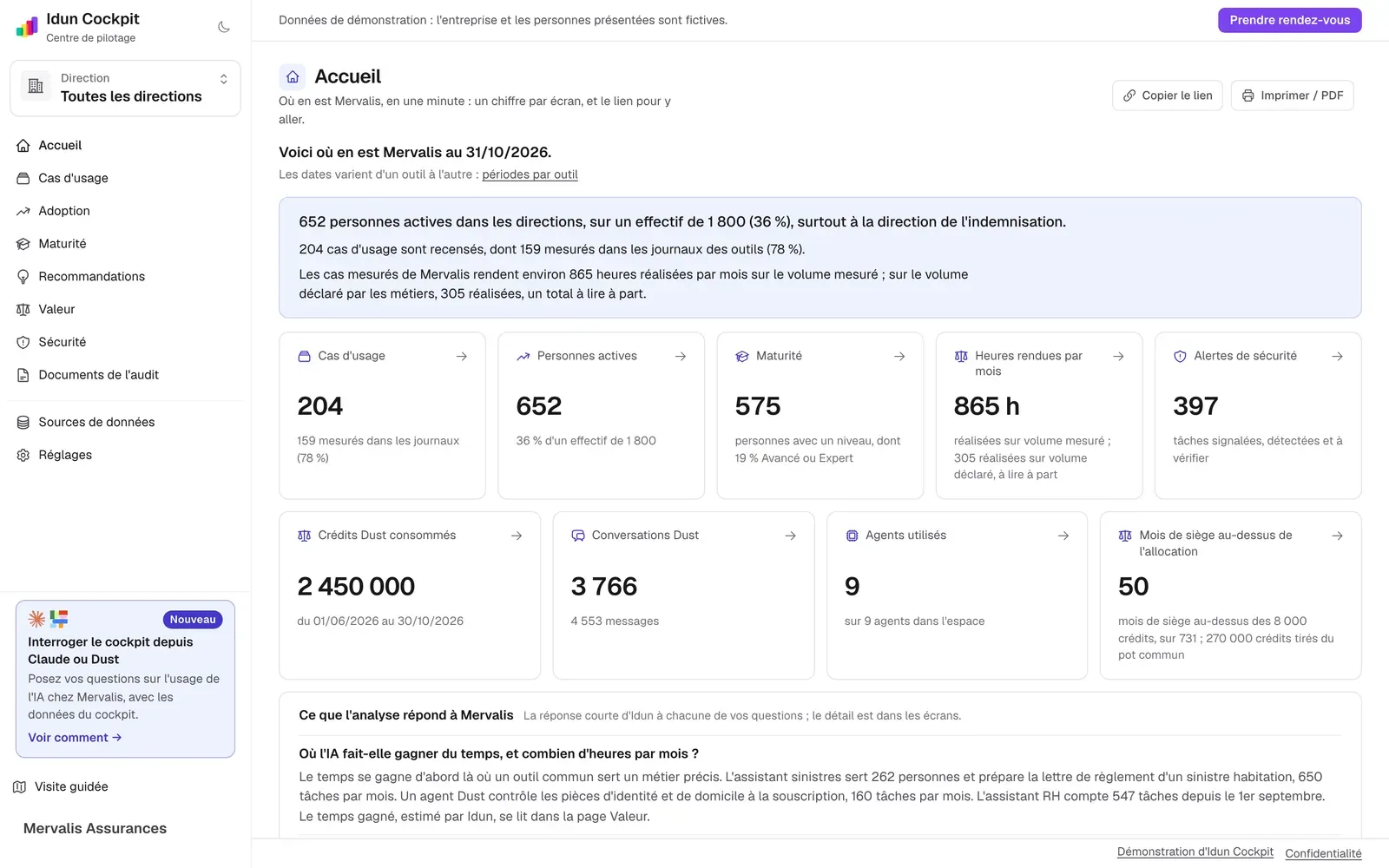
The screen as it appears in the public demo of Idun Cockpit, on Mervalis Assurances, a fictional company. Interface shown in French: the public demo exists in French only.
What the Home screen shows
Section titled “What the Home screen shows”- The summary. A few sentences on the state of usage: how many people use AI across the departments, set against the headcount; how many use cases are recorded and how many are measured in your tools’ logs; how many hours AI gives back each month.
- One figure per screen. One card per Cockpit screen: use cases, active people, maturity, hours given back. Each card leads to its screen.
- The figures specific to your tools. For a tool such as Dust, the credits consumed, the conversations and the agents used.
- The short answers. Idun Group’s answer to each of your questions, for example “where does AI save time, and how many hours a month?”. The detail is in the screens.
How to read it
Section titled “How to read it”Dates vary from one tool to another: each export covers its own period, and the “periods per tool” link leads to the Data sources screen, which lists them one by one. The department filter, at the top of the screen, recalculates everything for one department or team. The “Copy link” button keeps the chosen filter, and “Print / PDF” outputs the page as it stands.
The questions it answers
Section titled “The questions it answers”- Where does the company stand in its use of AI today?
- What share of the headcount actually uses the tools provided?
- How many hours does AI give back each month, and on which use cases?
- Which screen should you open first to go further?
The Home screen sums up the three deliverables of the audit: usage, ROI and strategy.
To see what the tool shows on your own tools, book a call.