
The Adoption screen
The Idun Cockpit Adoption screen shows who uses AI in the company and how usage evolves, department by department. It states what share of the headcount really uses the tools provided, and how many people use them regularly, now and then, or tried and stopped. On what these figures do not say on their own, see what AI adoption often hides in companies.
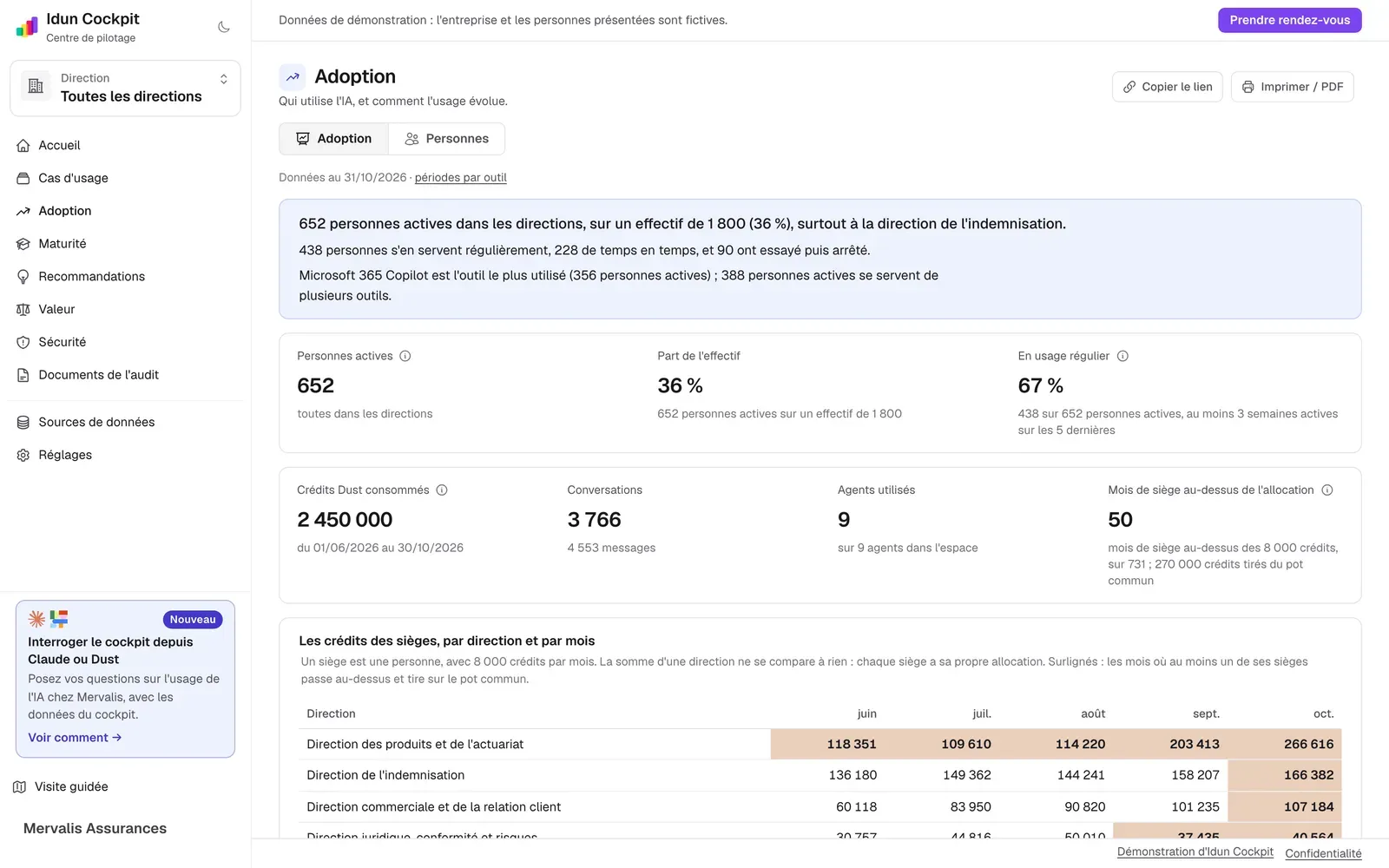
The screen as it appears in the public demo of Idun Cockpit, on Mervalis Assurances, a fictional company. Interface shown in French: the public demo exists in French only.
What the Adoption screen shows
Section titled “What the Adoption screen shows”- Active people. How many people use AI, and what share of the headcount that represents.
- Regular use. How many people use it at least three weeks out of the last five, not just once.
- The figures specific to each tool. For a tool such as Dust, the credits consumed, the conversations, the agents used and the seats that exceed their allocation.
- The detail by department and by month. Each department’s consumption, month after month, to see where usage rises and where it falls back.
- The People tab. The number of people at each level of use, without naming them: identities are replaced by pseudonyms as soon as the exports are received.
How to read it
Section titled “How to read it”An active licence is not actual usage: a person can open the tool without handing it anything. The glossary defines each measure. The period, tool and department filters apply as on the other screens, and each figure states whether it is measured in the logs or declared in an interview.
The questions it answers
Section titled “The questions it answers”- How many people really use AI, and in which departments?
- Is usage growing, or falling back after the launch?
- How many people use AI regularly, and how many tried and stopped?
- Where does usage exceed what the tool provided allows?
This screen feeds the Usage deliverable. What usage gives back reads on the Value screen, and unused licences, to reassign, on the Recommendations screen. Measurement covers uses, never people: see Usage, not individuals.
To see what the tool shows on your own tools, book a call.